Crafting Your Family Command Center: A Holistic Guide to Setting Up Your Home Office
In today’s dynamic world, the lines between home and work have blurred, with an increasing number of us embracing remote work, hybrid schedules, or managing family logistics from our personal spaces. For women, who often juggle professional aspirations with the beautiful, demanding rhythm of family life, creating a dedicated, functional, and nurturing home office isn’t just a convenience—it’s an essential act of self-care and empowerment. At Veralyn Media, we understand that your environment profoundly impacts your well-being, productivity, and overall family harmony. This comprehensive guide is designed to help you transform a corner, a room, or even a shared space into a well-oiled machine that supports your work, your children’s learning, and your household’s organizational needs, all while prioritizing your health and peace of mind. We’ll explore evidence-based strategies and practical tips to help you design a space that not only boosts efficiency but also fosters calm and reduces stress, ensuring your family home office is a true sanctuary of productivity.
The Foundation: Defining Your Needs and Space
Before you even think about furniture or paint colors, the most crucial step is to deeply understand who will use the space, what activities will take place there, and where it will be located within your home. This foundational analysis will inform every subsequent decision, ensuring your family home office truly serves its purpose.
- Who Will Use It? Will this be primarily your workspace? Or will children use it for homework, creative projects, or virtual learning? Will your partner occasionally need it? Understanding the primary users dictates the design choices, from desk height to storage solutions. For instance, a shared family space might benefit from multiple workstations or a large central table.
- What Activities Will Take Place?
- Deep Work: Requires minimal distractions, good lighting, and ergonomic support.
- Video Calls/Meetings: Needs a clear background, good lighting, and reliable internet.
- Creative Projects: Might require ample surface area and specialized storage for supplies.
- Paperwork/Bill Paying: Needs filing systems and perhaps a printer/scanner.
- Homework/Study: Child-friendly ergonomics, access to school supplies, and possibly a whiteboard.
Mapping out these activities helps you prioritize features and allocate zones within your space.
- Space Assessment: Where Will It Live?
- Dedicated Room: The ideal scenario, allowing for clear boundaries and minimal disruption. Consider soundproofing, door locks, and ample storage.
- Corner of a Room: Common in open-plan living. Use furniture placement (e.g., a desk facing a wall, a bookshelf as a divider), rugs, or screens to define the “office zone.”
- Multi-purpose Area (e.g., dining room, guest room): Requires flexibility. Furniture that can be easily tucked away or transformed (e.g., a desk that folds into a cabinet) is key. The challenge here is the daily setup and breakdown, so aim for efficiency.
- Closet Conversion: A surprisingly effective solution for small spaces, offering built-in storage and the ability to “close up shop” at the end of the day.

No matter the size, the goal is to create a mentally distinct zone for work. Research consistently shows that clear physical and psychological boundaries between work and home life are crucial for reducing stress and improving well-being, especially for women balancing multiple roles. Even a small, thoughtfully designed space can provide this crucial separation.
Designing for Productivity & Focus: Optimizing Your Environment
Once you’ve identified your space and needs, it’s time to think about how to optimize its atmosphere for peak performance and minimal stress. Every element, from light to sound, plays a significant role in your cognitive function and emotional state.
- Harnessing the Power of Light: Natural light is your best friend. Position your desk near a window to maximize daylight exposure, which is proven to boost mood, energy levels, and even sleep quality by regulating your circadian rhythm. A study published in the Journal of Clinical Sleep Medicine found that workers with window access reported better sleep quality and higher physical activity levels. Supplement natural light with good artificial lighting. Invest in a task lamp for focused work and ensure overhead lighting is bright but not harsh. Opt for LED bulbs that mimic natural daylight (around 5000K-6500K color temperature) to reduce eye strain.
- Sound Strategies for Serenity: Noise can be a major productivity killer, especially in a family home.
- Active Noise Reduction: High-quality noise-canceling headphones are a game-changer for focus.
- Passive Noise Reduction:
- Rugs and Carpets: Absorb sound, reducing echo.
- Soft Furnishings: Curtains, upholstered chairs, and throw pillows help dampen noise.
- Bookshelves: A full bookshelf can act as a sound barrier.
- Door Sweeps/Weatherstripping: Can block noise from entering a dedicated room.
- Sound Masking: White noise machines or ambient background music (e.g., instrumental, classical, lo-fi beats) can help mask unpredictable household noises, creating a more consistent auditory environment.
- Color Psychology in Your Workspace: Colors subtly influence our mood and productivity.
- Blues and Greens: Often associated with calmness, focus, and creativity. They are excellent choices for walls or accent pieces.
- Yellows: Can promote optimism and energy but use sparingly as too much can be overstimulating.
- Neutrals (Grays, Beiges, Whites): Provide a clean, minimalist backdrop that reduces visual clutter, allowing you to add pops of color through accessories.
Choose colors that resonate with you and the specific tasks you perform.
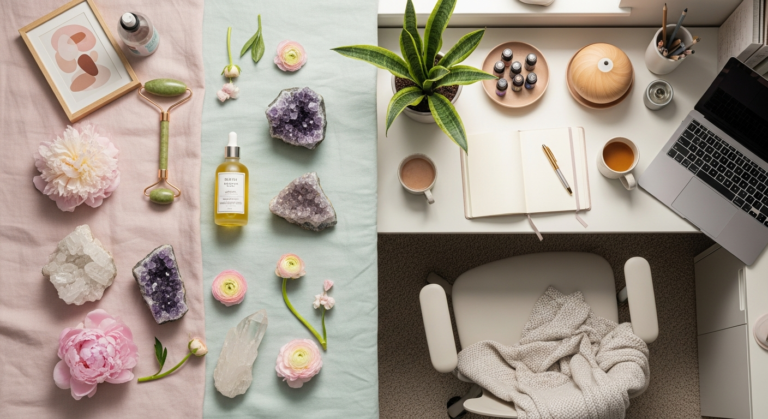
- Biophilic Design: Bringing Nature In: Incorporating natural elements into your workspace has profound benefits. Research shows that biophilic design (integrating nature into built environments) can reduce stress, improve cognitive function, and enhance mood.
- Plants: Easy-to-care-for houseplants (like snake plants, ZZ plants, or Pothos) improve air quality by filtering toxins and add a touch of calming greenery.
- Natural Materials: Wood, stone, and natural fibers (like linen or cotton) in furniture or decor can create a more organic, soothing feel.
- Views: If possible, position your desk to look out onto nature, even if it’s just a tree or a small garden.
These small touches create a more invigorating and less sterile work environment, crucial for long hours.
Ergonomics & Wellness: Investing in Your Body and Mind
As Veralyn Media consistently emphasizes, your health is your greatest asset. In a home office, ergonomics is not just a buzzword; it’s a critical investment in preventing pain, fatigue, and long-term health issues. Prioritizing your physical comfort allows your mind to focus on your work, not your aches.
- The Ergonomic Chair: Your Throne of Productivity: This is arguably the most important investment. Look for a chair with:
- Adjustable Height: Your feet should be flat on the floor or a footrest, with knees at a 90-degree angle.
- Lumbar Support: To maintain the natural curve of your lower spine.
- Armrests: Adjustable armrests that allow your shoulders to relax and elbows to be at a 90-100 degree angle while typing.
- Seat Depth: Two to four fingers should fit between the edge of the seat and the back of your knees.
A good ergonomic chair supports your posture, reduces strain, and makes long hours more bearable.
- The Desk: Height and Flexibility:
- Adjustable-Height/Standing Desk: Highly recommended. Research indicates that prolonged sitting is detrimental to health, linked to increased risk of heart disease, diabetes, and certain cancers. A standing desk encourages movement and allows you to alternate between sitting and standing, improving circulation and reducing sedentary behavior. Start with short standing intervals and gradually increase.
- Fixed-Height Desk: If a standing desk isn’t an option, ensure your desk is at a height that allows your forearms to be parallel to the floor when typing, with your shoulders relaxed.
- Monitor Placement for Eye and Neck Health:
- Eye Level: The top of your monitor screen should be at or slightly below eye level.
- Arm’s Length: Position the monitor about an arm’s length away from you.
- Glare Reduction: Angle your monitor to avoid glare from windows or overhead lights.
- Dual Monitors: If using two, place the primary monitor directly in front of you and the secondary one to the side, or center both if used equally.
Proper monitor placement prevents neck strain and eye fatigue, common complaints among remote workers.
- Ergonomic Peripherals:
- Keyboard: Consider an ergonomic keyboard that keeps your wrists straight.
- Mouse: An ergonomic mouse or trackball can reduce wrist strain. Position it close to your body to avoid reaching.
- Movement and Micro-Breaks: Even with the best ergonomics, prolonged static postures are harmful.
- The 20-20-20 Rule: Every 20 minutes, look at something 20 feet away for at least 20 seconds to reduce eye strain.
- Stand Up and Stretch: Every 30-60 minutes, stand up, stretch, walk around, or do a few light exercises. Set a timer to remind yourself.
- Hydration: Keep a water bottle handy to encourage regular sips and bathroom breaks, which naturally force you to move.
These small, consistent movements are vital for your physical and mental well-being, helping to combat fatigue and maintain focus throughout the day.
Organization & Storage: Taming the Clutter Beast
A cluttered physical space often translates to a cluttered mind, hindering focus and increasing stress. For a family home office, where multiple users and diverse items often coexist, effective organization and smart storage solutions are paramount. Creating a system that works for everyone is key to maintaining a peaceful and productive environment.
- The Digital vs. Physical Divide: Before organizing, decide what needs a physical home and what can live digitally.
- Digital First: Scan important documents, receipts, and kids’ artwork to store them in cloud services (Google Drive, Dropbox, OneDrive) or external hard drives. This drastically reduces physical paper clutter. Implement a consistent digital filing system with clear folder structures.
- Physical Necessities: Keep only essential physical items: current projects, frequently used supplies, and sentimental items.
- Smart Physical Storage Solutions:
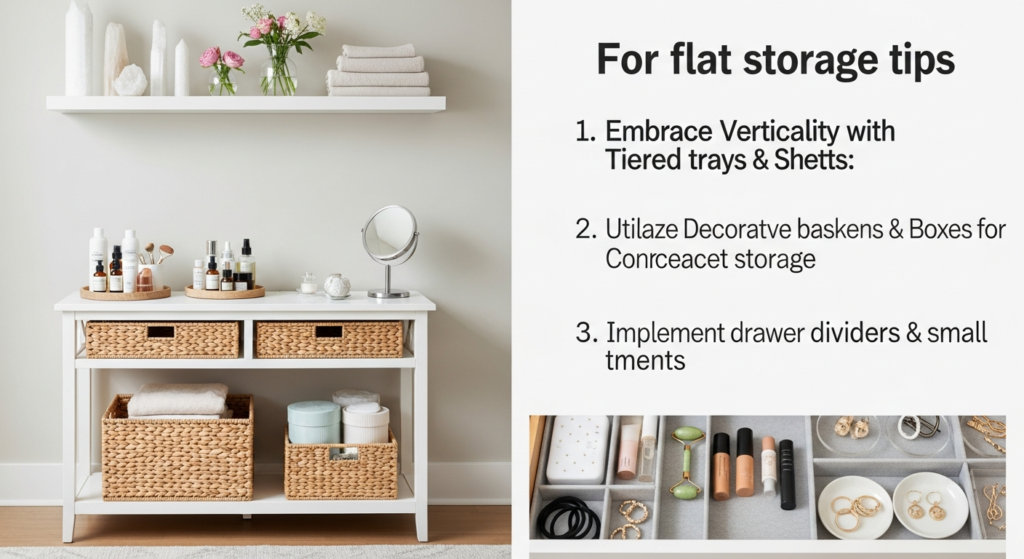
- Vertical Storage: Maximize wall space with shelving units, floating shelves, or pegboards. This keeps your desktop clear and utilizes often-unused real estate.
- Drawers and File Cabinets: For confidential documents or items that need to be out of sight. Label everything clearly!
- Baskets and Bins: Perfect for corralling smaller items like craft supplies, charging cables, or toys. Choose aesthetically pleasing ones that match your decor.
- Desk Organizers: Keep pens, notebooks, and small tools neatly arranged on your desk.
- Rolling Carts: Versatile for shared spaces or for items that need to be moved frequently (e.g., kids’ art supplies that can be wheeled out for use and then stored away).
- Taming the Cable Monster: Visible, tangled cables are not only unsightly but also a tripping hazard and a source of visual chaos.
- Cable Management Sleeves/Boxes: Bundle wires together or hide power strips in dedicated boxes.
- Cable Clips/Ties: Secure cables to the underside of your desk or along walls.
- Wireless Peripherals: Where possible, opt for wireless keyboards, mice, and printers to reduce cable clutter significantly.
- Decluttering Routines: The “One In, One Out” Rule:
- Regular Purges: Schedule a weekly or monthly “tidy-up” session. Get rid of anything you haven’t used in six months, old papers, or broken items.
- “One In, One Out”: When you bring a new item into the office (a new notebook, a new pen set), try to remove an old, similar item. This prevents accumulation.
Research from Princeton University’s Neuroscience Institute suggests that physical clutter in your surroundings can actually compete for your attention, leading to reduced focus and increased stress. A clean, organized space allows your mind to breathe and concentrate on the task at hand.
- Designated Zones for Family Items: If your office is a shared space, create clear zones for each person’s belongings. Label shelves or drawers for “Mom’s Work,” “Kids’ Homework,” “Household Bills,” etc. This minimizes conflict and ensures everyone knows where to find (and return) items.
Technology & Connectivity: The Digital Backbone
In the modern home office, technology is the engine that drives productivity. A reliable and efficient tech setup is non-negotiable, especially when multiple family members might be relying on the same infrastructure. Ensuring robust connectivity, appropriate hardware, and basic cybersecurity measures are crucial for seamless work and peace of mind.
- Reliable Internet: Your Lifeline:
- Speed Matters: Invest in the fastest internet plan your budget allows, especially if you have multiple users streaming, gaming, and video conferencing simultaneously.
- Wi-Fi Extenders/Mesh Systems: If your office is far from your router, a Wi-Fi extender or a mesh Wi-Fi system can eliminate dead zones and ensure strong, consistent signal strength.
- Wired Connections: For critical devices like your main work computer, a direct Ethernet connection is always more stable and faster than Wi-Fi, reducing latency and dropped connections during important meetings.
- Essential Hardware:
- Computer: A powerful, reliable laptop or desktop that meets your work requirements. Consider a separate work computer if your personal device is shared or prone to distractions.
- Printer/Scanner/Copier: A multi-function device is often a wise investment for household paperwork, kids’ school projects, and scanning documents. Modern wireless printers offer convenience and reduce cable clutter.
- Webcam & Microphone: While most laptops have built-in options, an external webcam and a dedicated microphone often offer superior video and audio quality for professional video calls.
- External Monitor(s): As discussed in the ergonomics section, an external monitor significantly enhances productivity and reduces eye strain.
- Software & Digital Tools:
- Productivity Suites: Microsoft 365 or Google Workspace offer essential tools like word processing, spreadsheets, and presentation software.
- Communication Platforms: Familiarize yourself with Slack, Zoom, Microsoft Teams, or other platforms your workplace uses.
- Project Management Tools: Trello, Asana, or Monday.com can help organize tasks and projects, especially when collaborating or managing complex family schedules.
- Cloud Storage: Essential for file backup and accessibility from multiple devices.

- Cybersecurity Basics: Protecting Your Digital Sanctuary:
- Strong Passwords: Use unique, complex passwords for all accounts and consider a password manager.
- Two-Factor Authentication (2FA): Enable 2FA wherever possible for an added layer of security.
- Antivirus Software: Keep it updated on all devices.
- Regular Backups: Beyond cloud storage, consider an external hard drive for local backups of critical files.
- VPN (Virtual Private Network): If handling sensitive company data, a VPN provides a secure, encrypted connection.
In an age of increasing digital threats, protecting your family’s data and privacy is as important as physical organization.
- Power Management:
- Surge Protectors: Protect your valuable electronics from power surges.
- Uninterruptible Power Supply (UPS): For critical equipment (like your main work computer), a UPS provides battery backup during power outages, giving you time to save your work and shut down properly.
Investing in robust tech infrastructure and security ensures minimal disruptions and maximum efficiency, empowering you to tackle your tasks with confidence.
Setting Boundaries & Fostering Family Harmony
Perhaps the most challenging, yet crucial, aspect of a successful home office is establishing clear boundaries. Without them, the lines between work and family life can become irrevocably blurred, leading to burnout, resentment, and decreased productivity. For women, who often bear the brunt of household and childcare responsibilities, these boundaries are an act of self-preservation, ensuring space for both professional pursuits and cherished family moments.
- Visual Cues and Physical Boundaries:
- A Closed Door: If you have a dedicated room, closing the door is the simplest and most effective visual cue that you’re “at work.”
- “Do Not Disturb” Sign: For shared spaces or open offices, a clear sign (or even a specific colored light) can signal when you need uninterrupted focus.
- Headphones: Wearing headphones, even if no music is playing, can indicate you’re focused and should not be disturbed.
- Physical Dividers: In open areas, use bookshelves, screens, or even tall plants to create a visual separation between your workspace and the rest of the home.
These cues communicate your availability (or lack thereof) to your family without constant verbal reminders.
- Time Boundaries: The Start and Stop of Your Day:
- Dedicated Work Hours: Establish a clear start and end time for your workday, just as you would in a traditional office. Communicate these hours to your family.
- Creating a “Commute”: Without a physical commute, it’s easy for work to bleed into personal time. Create a ritual to signify the start and end of your workday. This could be a short walk, changing clothes, meditating, or tidying your desk. This psychological “commute” helps your brain transition between roles.
- Schedule Breaks: Integrate planned breaks for meals, exercise, or spending time with family. These aren’t interruptions; they’re essential for sustained focus and well-being.
Research on work-life balance consistently highlights the importance of psychological detachment from work during non-work hours for recovery and well-being.
- Open Communication with Your Family:
- Discuss Expectations: Sit down with your partner and children (age-appropriately) to explain your work schedule and what “being at work” means. Help them understand why interruptions need to be minimized during certain times.
- Emergency Protocol: Establish clear rules for when it’s okay to interrupt you (e.g., “only if someone is hurt or the house is on fire”).
- Scheduled Check-ins: Plan specific times when you are available for questions, snacks, or quick cuddles. This helps children feel seen and reduces impulsive interruptions.
- Involve Them: For younger children, let them “help” set up a small “office” corner for their toys or art supplies near yours, so they feel included but understand the concept of parallel play/work.
- Rules for Shared Spaces and Equipment:
- Tidiness: If equipment or space is shared, establish clear rules about tidiness. Everyone must put away what they use.
- Respect for Property: Teach children to respect your work materials and equipment.
- Scheduling: If devices or the space are shared, create a simple schedule to avoid conflicts.
By proactively setting these boundaries and fostering open communication, you can cultivate a home office environment that supports your professional goals while nurturing your family relationships and protecting your personal well-being. It’s about finding a rhythm that works for everyone, creating a harmonious balance between the demands of work and the joys of home life.
Frequently Asked Questions About Setting Up Your Family Home Office
- Q1: I don’t have a spare room. How can I create a functional home office in a small or shared space?
- A1: Get creative with zoning! Use a corner of a living room, dining room, or even a spacious closet. Define your area with a rug, a room divider, or strategically placed furniture like a bookshelf. Opt for multi-functional furniture such as a desk that folds away, a wall-mounted desk, or a console table that doubles as a workspace. Utilize vertical space with shelves and wall organizers, and choose items that can be easily put away at the end of the workday to reclaim your living space.
- Q2: What are the absolute most important ergonomic investments I should make if I’m on a budget?
- A2: The top two investments are a good ergonomic chair and proper monitor placement. A supportive, adjustable chair will prevent back and neck pain more than any other single item. For your monitor, ensure the top is at eye level and about an arm’s length away. If you can’t afford a standing desk, use a sturdy box or monitor riser to elevate your screen, and remember to take frequent stretching breaks.
- Q3: How can I keep my family, especially young children, from interrupting me during important work tasks?
- A3: Communication and clear boundaries are key. Explain your work schedule to your family and establish visual cues like a closed door, a “do not disturb” sign, or wearing headphones. Set up a “check-in” system where children know they can ask questions during scheduled breaks. For younger kids, try parallel play by giving them a quiet activity near your workspace. Empower them with a “what to do if…” guide for real emergencies, but otherwise, encourage independence during your work blocks.

- Q4: What’s the best way to manage digital clutter, especially when files are shared with family?
- A4: Implement a consistent digital filing system from the start. Create clear, logical folder structures (e.g., “Work,” “Family,” “Finances,” “Kids’ School”) and use descriptive file names. Utilize cloud storage services (Google Drive, Dropbox, OneDrive) for easy access and backup, and designate shared folders for family documents. Schedule regular “digital decluttering” sessions to delete old files, organize downloads, and empty your trash. Consider a password manager to keep logins organized and secure.

- Q5: Are standing desks really worth the investment, and how should I use one effectively?
- A5: Yes, standing desks are widely considered a worthwhile investment for health and productivity. Research indicates that prolonged sitting is linked to various health risks. A standing desk allows you to alternate between sitting and standing, improving circulation, reducing sedentary behavior, and boosting energy levels. To use effectively, start gradually: alternate 30 minutes standing with 30 minutes sitting, and increase standing time as you build stamina. Listen to your body, wear comfortable shoes, and consider an anti-fatigue mat for added comfort while standing.
Conclusion: Your Empowered Home Office Awaits
Creating a family home office that truly works for you and your loved ones is an investment—not just of time and resources, but in your overall well-being. It’s about designing a space that respects your professional needs, supports your family’s activities, and nurtures your health. By thoughtfully defining your needs, optimizing your environment with intentional design, prioritizing ergonomics, taming the clutter with smart organization, ensuring robust technology, and—crucially—setting clear boundaries, you are building more than just an office. You are crafting a command center that empowers you to thrive in your multifaceted roles as a professional, a partner, and a parent.
Remember, this isn’t about achieving perfection overnight, but about making conscious, evidence-based choices that lead to a more harmonious and productive life. As you embark on this journey, be patient with yourself and your family. Adjustments will be needed, and that’s perfectly normal. With each thoughtful decision, you’re not just organizing a room; you’re cultivating a space where focus flourishes, creativity flows, and balance is not just a dream, but a daily reality. Embrace the process, and watch as your empowered home office transforms your work-life experience for the better.
“`json
{
“@context”: “https://schema.org”,
“@graph”: [
{
“@type”: “Article”,
“mainEntityOfPage”: {
“@type”: “WebPage”,
“@id”: “https://veralynmedia.com/articles/how-to-set-up-family-home-office”
},
“headline”: “Crafting Your Family Command Center: A Holistic Guide to Setting Up Your Home Office”,
“image”: [
“https://veralynmedia.com/images/family-home-office-main.jpg”,
“https://veralynmedia.com/images/family-home-office-ergonomics.jpg”,
“https://veralynmedia.com/images/family-home-office-organization.jpg”
],
“datePublished”: “2023-10-27T08:00:00+08:00”,
“dateModified”: “2023-10-27T09:30:00+08:00”,
“author”: {
“@type”: “Person”,
“name”: “Veralyn Media Team”
},
“publisher”: {
“@type”: “Organization”,
“name”: “Veralyn Media”,
“logo”: {
“@type”: “ImageObject”,
“url”: “https://veralynmedia.com/images/veralyn-media-logo.png”
}
},
“description”: “Transform your home into a productive, harmonious family office! This comprehensive guide from Veralyn Media offers expert tips on designing, organizing, and maintaining a home office that supports both your work and family life. Learn about ergonomics, optimizing your environment, technology setup, and crucial boundary setting for a healthier work-life balance.”,
“articleSection”: [
“Home & Family”,
“Productivity”,
“Wellness”
],
“keywords”: “home office, family office, remote work, work-from-home, home office setup, ergonomics, productivity, home organization, work-life balance, women’s wellness, veralyn media”,
“inLanguage”: “en-US”
},
{
“@type”: “FAQPage”,
“mainEntity”: [
{
“@type”: “Question”,
“name”: “I don’t have a spare room. How can I create a functional home office in a small or shared space?”,
“acceptedAnswer”: {
“@type”: “Answer”,
“text”: “Get creative with zoning! Use a corner of a living room, dining room, or even a spacious closet. Define your area with a rug, a room divider, or strategically placed furniture like a bookshelf. Opt for multi-functional furniture such as a desk that folds away, a wall-mounted desk, or a console table that doubles as a workspace. Utilize vertical space with shelves and wall organizers, and choose